打开无障碍菜单 跳到页面内容

Free color palette generator

Find colors that work together in seconds. Start with a hex code, upload a photo, or generate a random palette, then see your colors on real templates.

Make a color palette in three steps

  1. Start anywhere

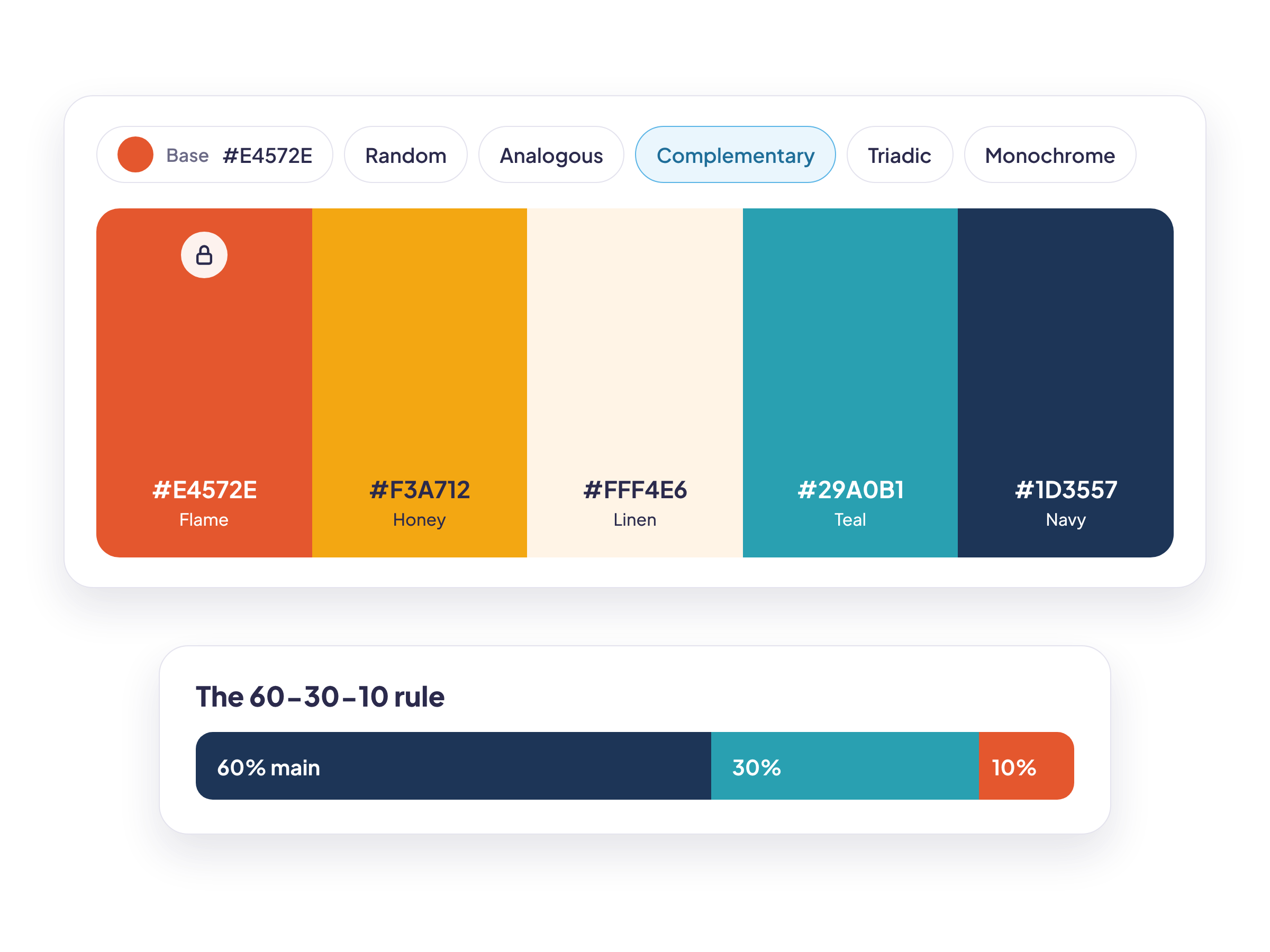
    Type a hex code into Base, upload a photo, pick a preset palette, or just press Generate.

  2. Keep what you love

    Lock your favorites and generate again. Drag colors to reorder them, or press + to add one more.

  3. Put it to work

    Copy any hex code, export the palette, or open a template that's already in your colors.

Which harmony should you pick?

Harmony

What it does

Try it for

Random

Surprises you. No rules.

Creative blocks and mood boards.

Analogous

Picks neighbors on the color wheel.

Cafes, spas, and calm, natural looks.

Complementary

Pairs opposites on the color wheel.

Sale flyers and buttons that need to pop.

Triadic

Spaces three colors evenly around the wheel.

Kids' parties, festivals, and fun social posts.

Monochrome

Gives you light and dark shades of one color.

Clean brands, websites, and minimal designs.

Got a brand color? Build around it

Type your hex code into Base, pick a harmony, and hit Generate. That's it. Complementary brings the contrast. Analogous keeps things calm. Triadic adds a little fun. Monochrome gives you every shade of one color. Not sure how much of each to use? Try the 60-30-10 rule from Nielsen Norman Group: 60% main color, 30% support, 10% accent. Lock your brand color, and the color palette generator finds the rest.

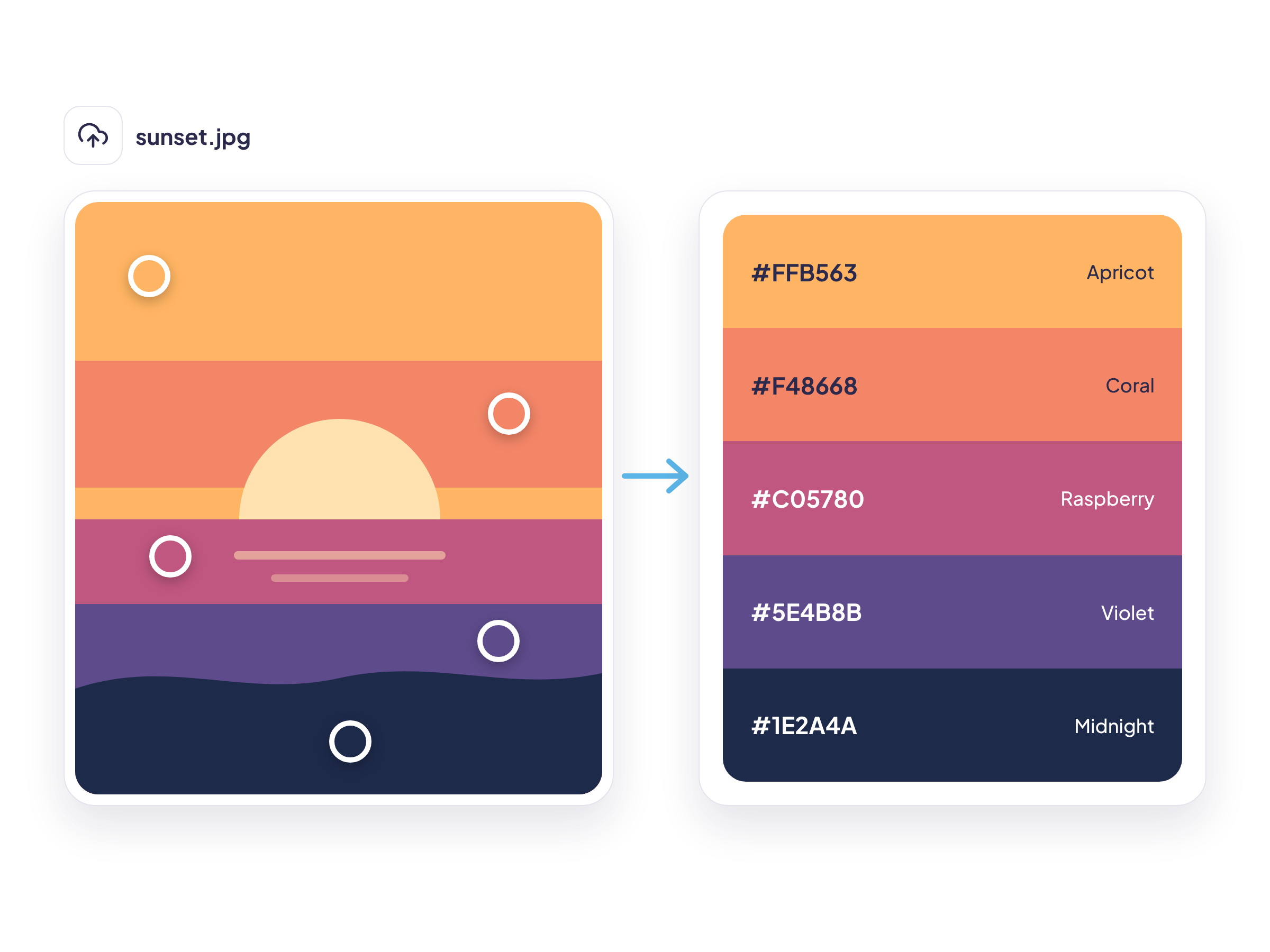
Love a photo? Copy its colors with free color palette generator 

That sunset. That latte art. That wedding bouquet. Upload the photo, and you get its main colors with hex codes and names in seconds. The color palette generator from image works just as well on storefronts, products, and living rooms. Lost your logo's hex codes? Snap the logo and get them back. Lock the colors you love and shuffle the rest.

See your color palette on a real design. Then make one

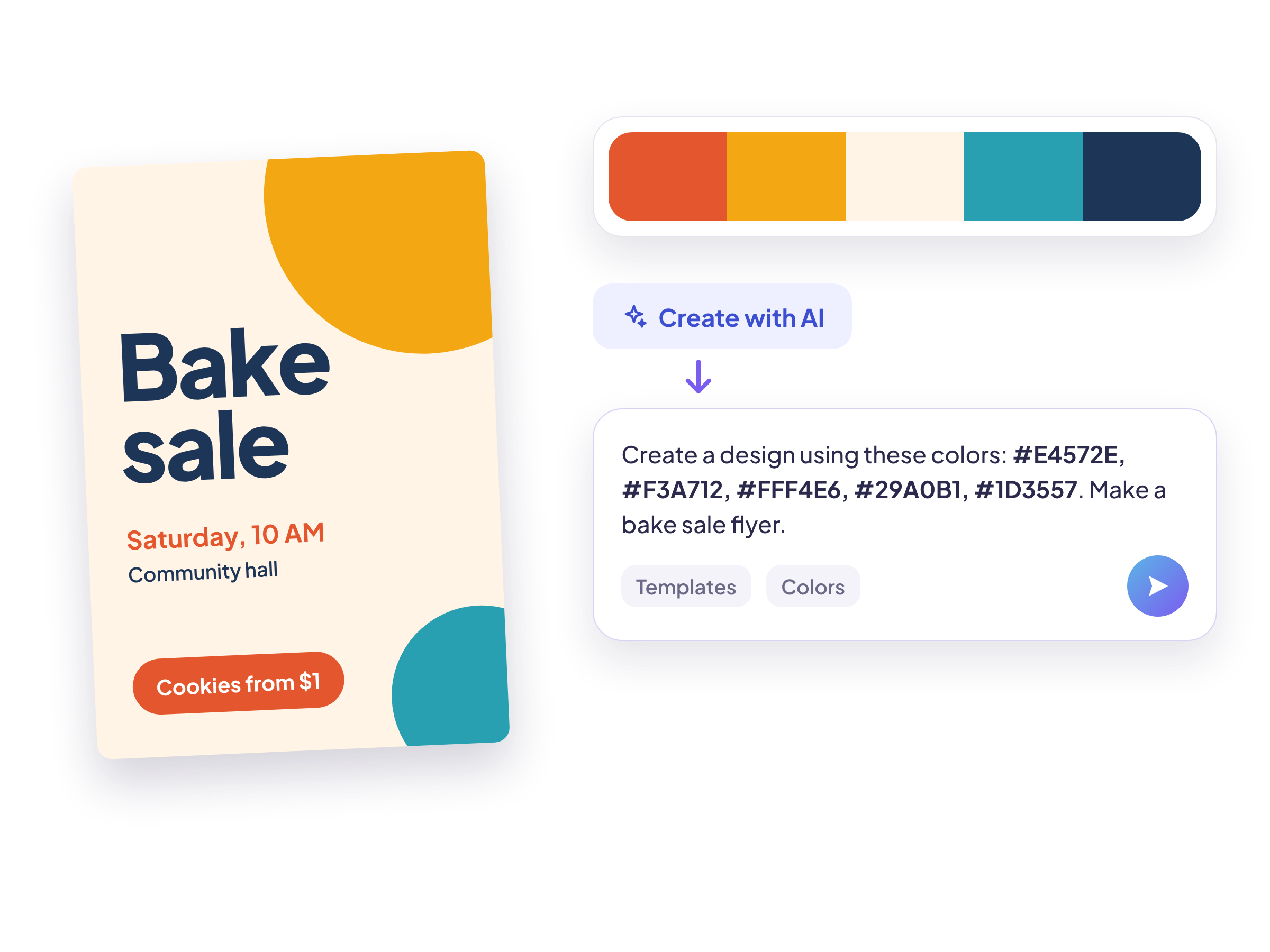
Swatches are nice. Seeing your colors on an actual flyer is better. Every palette you make shows up on flyer and social media templates as you generate. Like one? Open it in the editor with your colors already applied. Want something new? Press Create with AI, and the AI chat opens with your hex codes already in the prompt. Just tell it what you need.

使用 PosterMyWall,每月可节省 $110 以上

我们认为设计和营销成本不应成为负担。因此,我们将强大功能整合在一个经济实惠的方案中。💪

$132 / 月

分散在多个应用上

Canva
$18
Buffer
$24
Mailchimp
$20
ChatGPT
$20
Eventbrite
$50
$13 / 月

一份订阅为您节省 $119

通过 PosterMyWall Premium,解锁更智能的 AI 赋能营销。

常见问题解答

What is a color palette generator?

A color palette generator is a tool that picks colors that look good together, so you don't have to match shades by eye. PosterMyWall's free palette maker builds them from a hex code, a photo, a designer preset, or a color harmony. Then it shows them on real designs.

How do I generate a color palette from a hex code?

Type your hex code into the Base field in the PosterMyWall generator, choose a harmony, and press Generate. You get a full palette built around your color. Don't love it? Generate again. Lock any colors you want to keep, and only the rest will change.

How do I create a color palette from an image?

Press the upload button in the PosterMyWall palette maker and pick a photo. It pulls out the main colors and shows each hex code and color name. Lock the ones you like and regenerate the rest until the palette feels right.

Can I design something with my color palette?

Yes, you can turn your palette into a finished design right away with PosterMyWall. Press Create with AI, and the AI chat opens with your hex codes already in the prompt. Add what you need, like a bake sale flyer, and send. Or open any template under Your palette on real designs.

How many colors should a color palette have?

Three to five colors works for most designs. Nielsen Norman Group recommends three main colors in a 60-30-10 split: 60% dominant, 30% secondary, and 10% accent. PosterMyWall starts you with five, and you can press + whenever your design needs one more accent color.

What's the difference between a color palette and a color scheme?

A color scheme is the rule, and a color palette is the result. Complementary, analogous, triadic, and monochrome are color schemes. The hex codes you copy from the PosterMyWall color scheme generator are your palette, ready to use in any design.

Where can I find ready-made color palettes?

Scroll to Preset palettes in the PosterMyWall color palette finder. Our designers picked every one. Search by theme, like New Year, wedding, or summer, and choose one to start from. You can still lock, add, or change any color you like.

How do I choose a color palette for my website?

Start with one neutral for the background, one brand color, and one accent for buttons and links. Then check your text against its background: WCAG asks for a contrast ratio of at least 4.5:1 for regular text. The monochrome harmony makes it easy to find lighter and darker shades.

How do I make an accessible color palette?

Give text and backgrounds strong contrast, and don't rely on color alone to show meaning. About 1 in 12 men and 1 in 200 women have some form of color blindness, so pair red and green with labels or icons. Then check your text against the WCAG 4.5:1 minimum.

免费生成您的调色板

无需注册