客户眼中的 PosterMyWall






0+ high converting pamphlets designed for every need


Katrina Conrad runs Conrad Builds, a diversity-compliant consulting firm in Boston working mostly in construction and the building trades. Her team of five connects contractors with work-ready people and has assisted over 200 companies. A good deal of her marketing happens offline, by choice, because the people she most wants to reach are not necessarily going to find her through a search.
So she targets footfall. Her team hands out printed material in pedestrian areas and, deliberately, at the local bus and train depots. The thinking behind it is worth borrowing: what you hand someone is only enough to introduce you, but the commute that follows is twenty minutes of nothing to do. A QR code on the page takes them from that introduction to the full picture of her services, events, and training while they are sitting on the bus. By the time they get off, she is not a stranger. She pairs it with email newsletters built from the same designs, sent around 30 days ahead so her events are well attended.
You can build the same two-stage piece. Lay it out with brochure and pamphlet templates, which give you the panels to introduce yourself on the outside and explain properly on the inside. Add a QR code so the reader can go deeper the moment they are interested, and send the same artwork to your list as an email campaign.
我们认为设计和营销成本不应成为负担。因此,我们将强大功能整合在一个经济实惠的方案中。💪
分散在多个应用上


一份订阅为您节省 $119
通过一个直观、AI 赋能的平台管理您的营销。从数百万个免费模板中进行设计,为您的活动销售门票,并在社交媒体、电子邮件、网络等渠道发布内容。
通过社交媒体帖子和电子邮件广告系列的互动洞察,了解受众的喜好。利用这些洞察优化您的营销策略,创作能带来效果的内容。
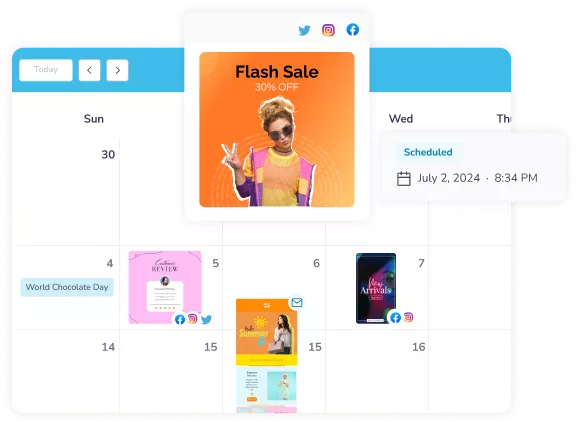
让 AI 为您完成繁重的工作:几秒钟内生成设计、图像和视频,为每个渠道调整大小,并预先安排内容发布时间。凭借经济实惠的方案和大幅团队折扣,与您的团队一起创造营销奇迹从未如此简单。
Choose from thousands of professionally designed templates for any business, event, or occasion.
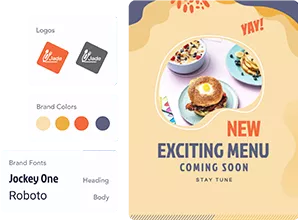
Add your logo, images, videos, fonts, stickers, audio clips, and more. Use Brand Kits for consistent, on-brand designs.
Download for free or purchase high-res files. Upgrade to PosterMyWall Premium plans for unlimited high quality image and video downloads, plus the full AI suite.
Publish to Facebook, X (Twitter), Instagram, or send via email campaigns, embed on websites, or display on digital screens.









 Canva 与 PosterMyWall 的比较
 VistaCreate 与 PosterMyWall 的比较
 Adobe Express 与 PosterMyWall 的比较
 Piktochart 与 PosterMyWall 的比较
 Snappa 与 PosterMyWall 的比较
 Fotor 与 PosterMyWall 的比较
 Placeit 与 PosterMyWall 的比较
 Visme 与 PosterMyWall 的比较
 Venngage 与 PosterMyWall 的比较
 Buffer 与 PosterMyWall 的比较
 Hootsuite 与 PosterMyWall 的比较
 Sprout Social 与 PosterMyWall 的比较
 Later 与 PosterMyWall 的比较
 Agorapulse 与 PosterMyWall 的比较
 Zoho Social 与 PosterMyWall 的比较
 Coschedule 与 PosterMyWall 的比较
 Sendible 与 PosterMyWall 的比较
 Loomly 与 PosterMyWall 的比较
 Stripo 与 PosterMyWall 的比较
 Mailchimp 与 PosterMyWall 的比较
 Constant Contact 与 PosterMyWall 的比较
 Brevo 与 PosterMyWall 的比较
 GetResponse 与 PosterMyWall 的比较
 Kit 与 PosterMyWall 的比较
 Moosend 与 PosterMyWall 的比较
 Omnisend 与 PosterMyWall 的比较
GetResponse 与 PosterMyWall 的比较
Omnisend 与 PosterMyWall 的比较
GetResponse 与 PosterMyWall 的比较
 Eventbrite 与 PosterMyWall 的比较
 Evently 与 PosterMyWall 的比较
 Facebook Events 与 PosterMyWall 的比较

Gradient by PosterMyWall



© 2010-2026 250 Mils LLC. 保留所有权利。